
Coding games for kids
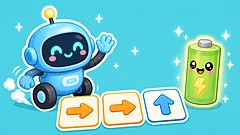
No sign-up · made for kids 4–10Coding is giving clear step-by-step instructions, and young children can learn it long before they type a line of code. In Robot Coder, kids line up arrow cards, press Go and watch the robot follow their plan; if it bumps into a bush, they fix the plan and try again. The other games here build the same thinking: sorting, patterns, planning ahead and finding a path. They play in the browser on Chromebooks and tablets, with no sign-up and nothing to buy.


About each game
A line on every game here
›
- Robot Coder Tap arrow cards into a row, press Go, and help the cute robot roll along the grid to its battery friend.
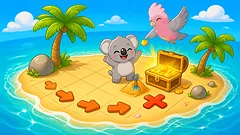
- Treasure Island Follow Galah the guide's clues across a little island and help Koala dig up treasure: arrows, counting steps, grid squares and compass letters, one gentle step at a time.
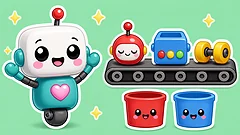
- Robot Factory Sort the robot parts from the conveyor belt into the right boxes by colour, shape and size, then build a robot from the order card and watch it wake up!
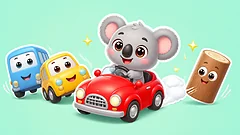
- Unblock the Car Slide the cute cars, trucks and logs out of the way so Koala's little red car can drive out.
- Pattern Maker What comes next?
- Maze Runner Help Joey the kangaroo hop through hedge mazes to find a friend.
- Sliding Puzzle Slide the picture pieces into the gap to fix the picture, and your animal friend comes to life with a wave!
- Puzzle Trail Hop Quokka along a treasure trail by solving little picture puzzles: spot the different one, count, match shadows, finish patterns, build paths and find what changed.
- Graph Builder Help Galah count!
- Odd One Out Tap the one that doesn't belong!
- Tangram Zoo Build animals from the seven tangram shapes!
- Sudoku Picture sudoku with smiling fruit: tap a square, then the fruit that fits.
- Nonogram Garden Plant the clues and grow a picture!
- Blockade Step, then block!
About these games
Our picks and what they practise
›
Robot Coder needs no reading: it starts with one or two arrows on a small grid and grows to longer plans, so six-year-olds and ten-year-olds can both play. Treasure Island adds following and counting arrow steps, and Unblock the Car teaches planning several moves ahead, which is what programmers do all day.
For an Hour of Code session, start the class on Robot Coder for fifteen or twenty minutes, then let children who finish try Treasure Island or Unblock the Car. There are no accounts to set up: share one link and everyone starts at once.
Our picks

What they practise
- Sequences: putting steps in the right order
- Debugging: spotting a mistake and fixing the plan
- Patterns, sorting and logic
- Planning several moves ahead
Next
Questions parents ask
4 quick answers
›
What are good free coding games for kids?
Robot Coder on Tiny Players is a free first coding game: children line up arrow cards to program a robot, with no reading needed. Treasure Island, Robot Factory, Unblock the Car and Pattern Maker build the same thinking. They're free in the browser with no sign-up and nothing to buy.
Can we use these games for Hour of Code?
Yes. They run in any browser, including school Chromebooks, with no accounts to set up, so a class can start from one shared link. Robot Coder is the best one to start with.
What age can kids start coding?
Children can start with arrow-card coding like Robot Coder from about age 5 or 6, long before they can type code. Older children can move on to block coding and then typed code.
Do kids need to read to play?
No. Robot Coder and Treasure Island use arrows and pictures, so early readers can play.