
Typing games for kindergarten
No sign-up · made for kids 4–10Kindergarten is the right time to meet the keyboard, but not yet to learn touch typing. Five-year-olds first need to know their letters, then find them on the keys. These free games go in that order: type single letters, type short pet names, and from 1st grade practice the home row with the right fingers. They play in the browser on Chromebooks, laptops and tablets, with no sign-up, no ads and nothing to buy.


About each game
A line on every game here
›
- Typing Pets Type the pet's name to feed it!
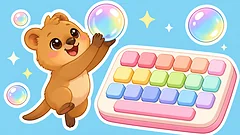
- Typing Game Type the letters on the bubbles and Quokka hops up to catch them!
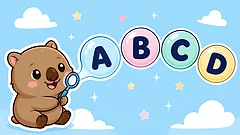
- ABC Order What comes next?
- Sight Words Hear a word, then pop the bubble with that word!
- Phonics Match Galah says a letter sound.
- Missing Letter Look at the picture and tap the letter that finishes the word!
- Trace the Alphabet Start at the green dot and follow the arrows!
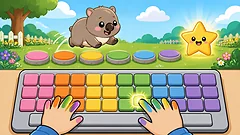
- Home Row Hero Learn to type with the right fingers!
About these games
Our picks and what they practise
›
A five-year-old types with one finger and hunts for each key, and that's fine. What matters in kindergarten is knowing the letters and where they live on the keyboard. In Typing Pets and Typing Game the key to press lights up, so even children who can't read yet know where to look, and a wrong key only makes things wiggle. There's no timer to beat.
Touch typing, using all ten fingers without looking, usually starts in 2nd or 3rd grade, when hands are big enough to rest on the home row. Home Row Hero is there for that step, with a colour for each finger. Keep sessions short, five to ten minutes, and stop after a level while it's still fun.
Our picks

What they practise
- Knowing every letter, and finding it on a real keyboard
- Typing short words: names, pets and first sight words
- Where F and J are: the keys every typist starts from
- From 1st–2nd grade: home row fingers and typing without looking
Next
Questions parents ask
4 quick answers
›
What are the best free typing games for kindergarten?
Typing Pets and Typing Game on Tiny Players are free typing games made for kindergarten. Children type one letter or a short pet name at a time, the key to press lights up, a wrong key just wiggles, and there's no timer. Both play in the browser with no sign-up, no ads and nothing to buy.
Can a 5 year old learn to type?
Yes, with one finger first. At five, children learn the letters and where they are on the keyboard. Touch typing with all ten fingers usually starts around 2nd or 3rd grade (age 7 or 8), and Home Row Hero is a good next step then.
Do these typing games work on a Chromebook or iPad?
They work on any Chromebook, laptop or computer with a keyboard. On an iPad or a phone the games show big keys on the screen, so children can still play, but a real keyboard is best for learning to type.
How long should kindergarteners practice typing?
Five to ten minutes at a time is plenty. Short, regular practice works better than long sessions, and children win a sticker for playing, so there's a reason to come back tomorrow.